TikTok Shop
Tips for transacting safely on TikTok Shop *Includes scams reported across TikTok (i.e. including TikTok Shop)
Last updated 30 January 2026

No of Scam Reports:
2023: 75
Identity Verification on TikTok Shop
Identity Verification on TikTok Shop
TikTok Shop verifies government-issued documents before a seller is allowed to list products on the platform. The type of documentation required for each seller differs by their business type.
Corporate Sellers: Business registration documents (e.g. Complete version of ACRA BizFile) are required for Corporate Sellers. The company representative is also required to verify their identity via SingPass or with a valid government-issued ID.
Individual Sellers: TikTok Shop encourages the use of Singpass by individual sellers for identity verification. However, other forms of government-issued identification (e.g. NRIC) may be submitted together with a selfie as an alternative verification method.
Following the initial verification, TikTok Shop also reaches out to sellers periodically to update their credentials.
Use of in-platform secure payment solutions
Secure Payment Options
TikTok Shop provides an in-platform secure payment solution for all transactions. Payment is withheld by the platform and released to Sellers following a stipulated settlement period to ensure that customers will have recourse if they face any issues.
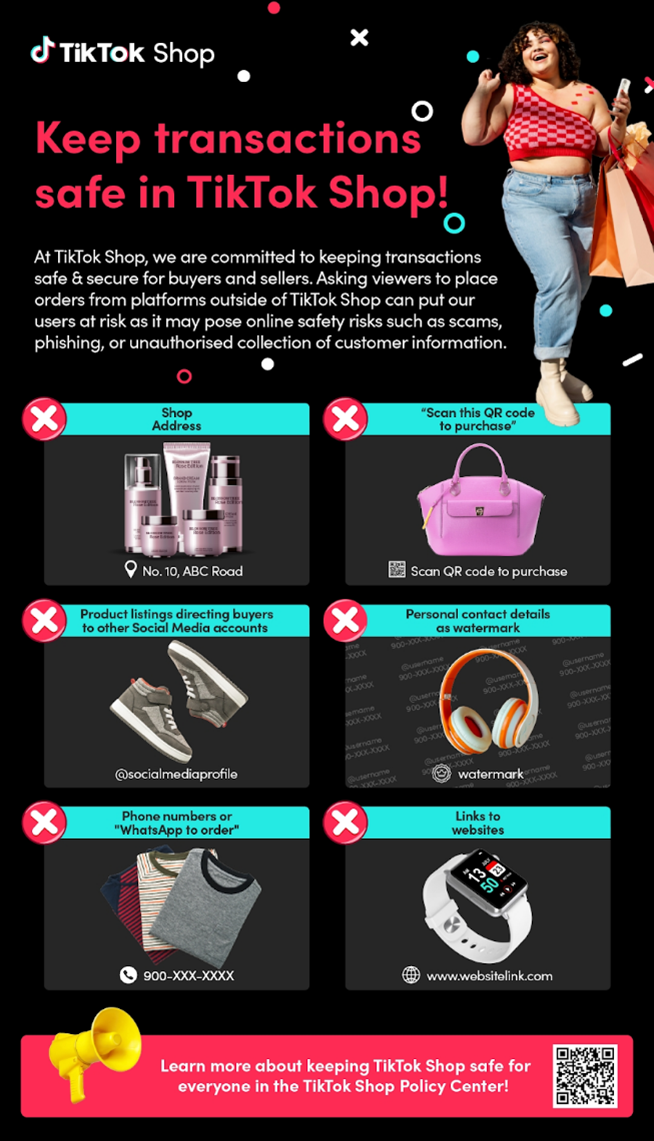
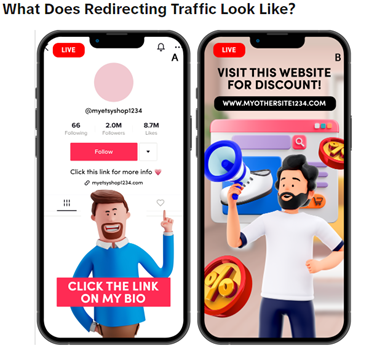
To safeguard transactions, sellers and customers should only transact within the platform. TikTok Shop strictly prohibits Sellers and Creators from redirecting customers off the platform. Sellers and Creators who are found to violate this policy will have enforcement actions taken against their accounts. Repeat offenses will lead to heavier enforcement actions. While we monitor content on the platform for violations of this policy, we also encourage users to report violative content.
You can safeguard your transactions by making sure they only occur on TikTok Shop, and do your part by reporting sellers who request to transact off-platform.
Additional Resources
Maintenance of transaction records and user data
TikTok Shop maintains records of all transactions and communications performed within the platform. Sellers are prohibited from directing customers off the platform, and may receive enforcement actions for doing so. You can do your part by keeping all transactions and communications within TikTok Shop. This ensures all relevant transaction records are available to facilitate subsequent investigation and dispute resolution should the need arise.
Reporting and dispute resolution mechanism
Report Suspicious Listings
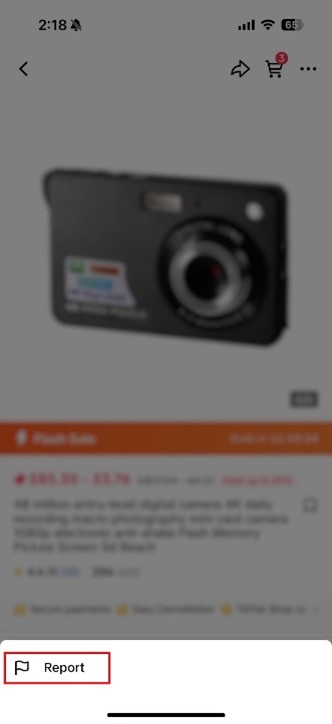
You may report suspicious listings found on TikTok Shop via the "Report" function in the app.
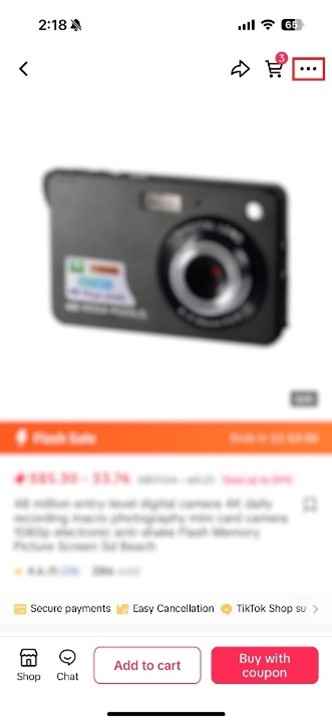
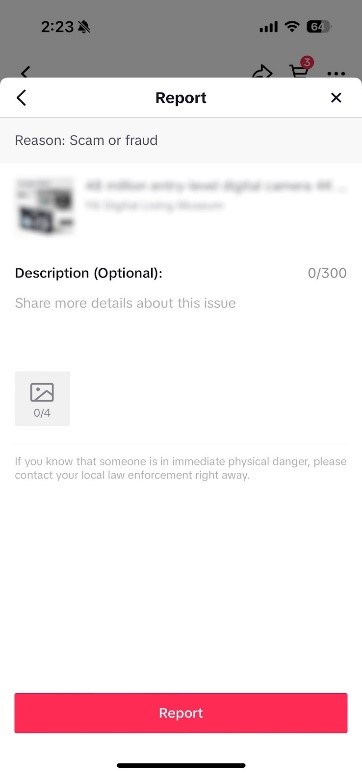
Click on "..." in the top right corner of the listing, and select "Report". You can select a reason from the options provided, and share more details before submitting the report.
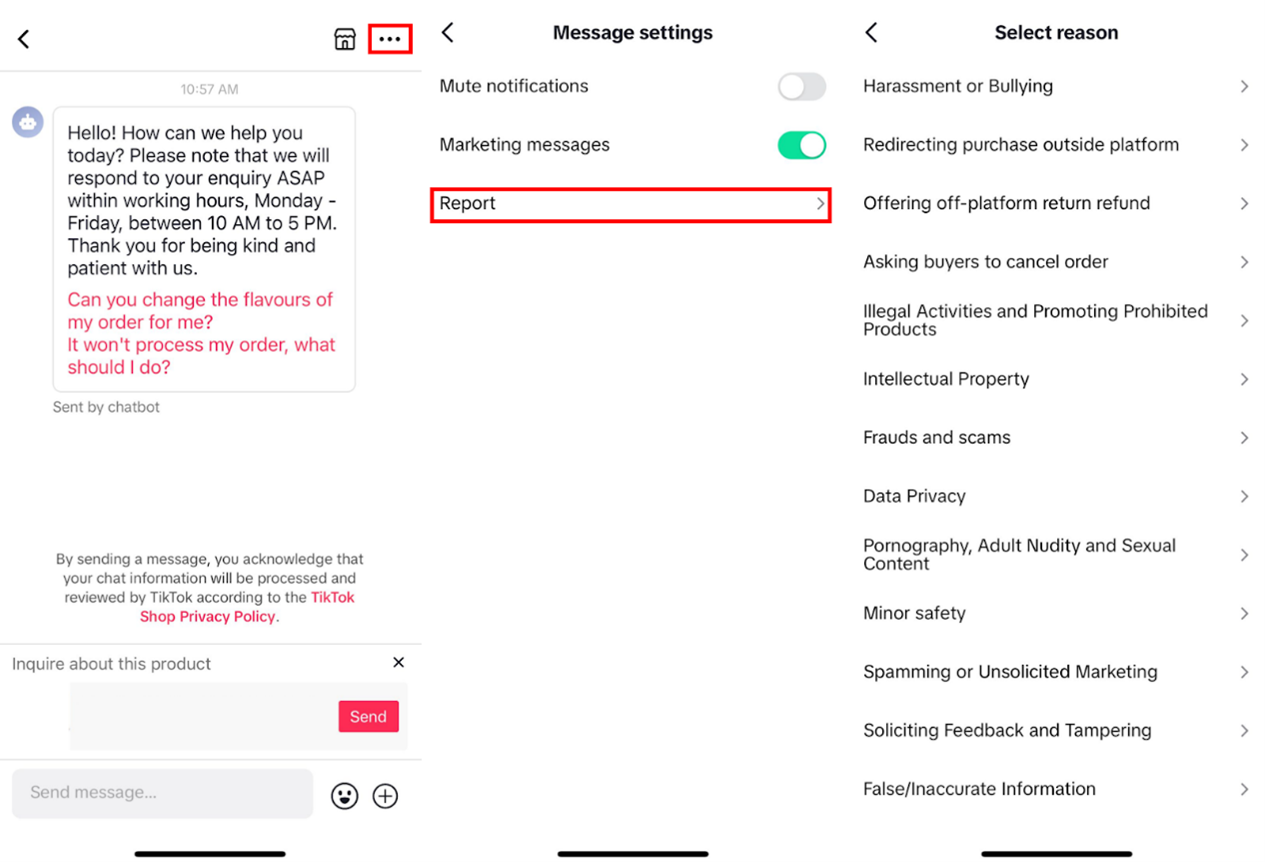
You may also make a report through the in-app direct messaging platform.
Return & Refund Requests
You may submit a return & refund request within 6-15 days of order delivery depending on order type.
If you still wish to submit a complaint after the stipulated period, you can either communicate directly with the seller, or contact TikTok Shop customer service through the in-app Help Center.
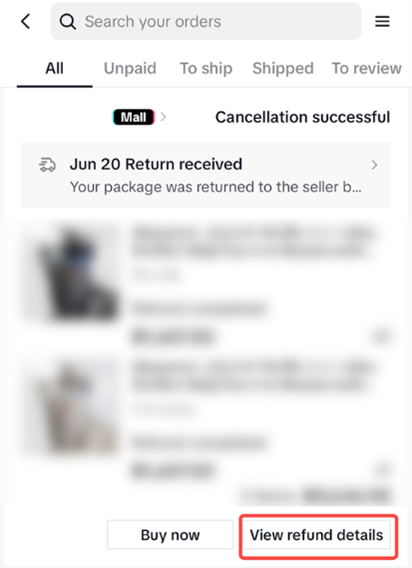
If your request was declined by the seller, you may file an appeal to TikTok Shop for further investigation. This can be done by tapping View Refund Details on the Order Details page
You may escalate most aftersale issues (such as product quality or safety issues) to the platform up to 14 days after delivery of the product.
Other features
Tools for making an informed purchasing decision
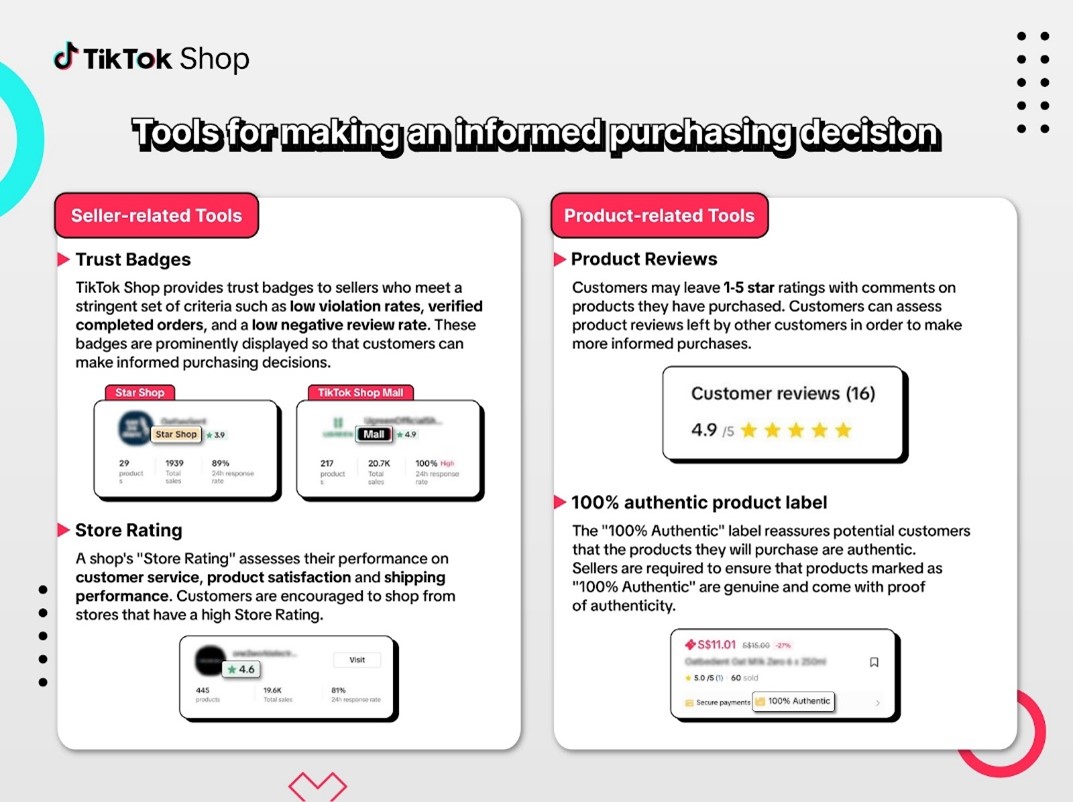
To learn more about the criteria required to qualify for each badge, please refer to our newsroom article and the links below:
How can you protect yourself on TikTok Shop?
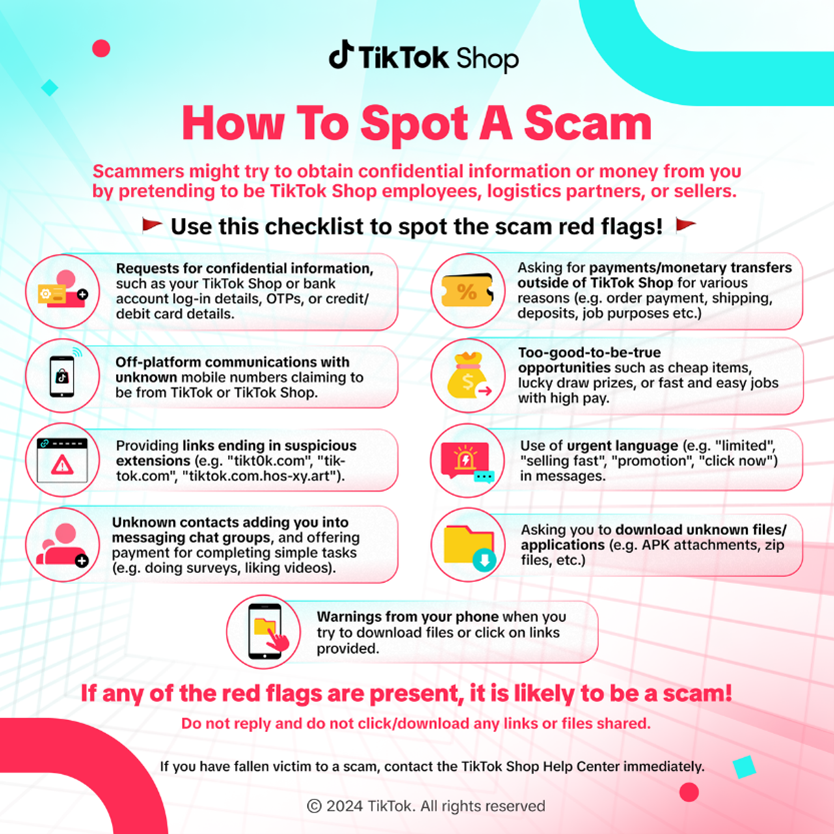
TikTok Shop regularly shares useful resources through social media posts to help customers identify and avoid potential scams. Please look out for resources like the following anti-scam advisory:
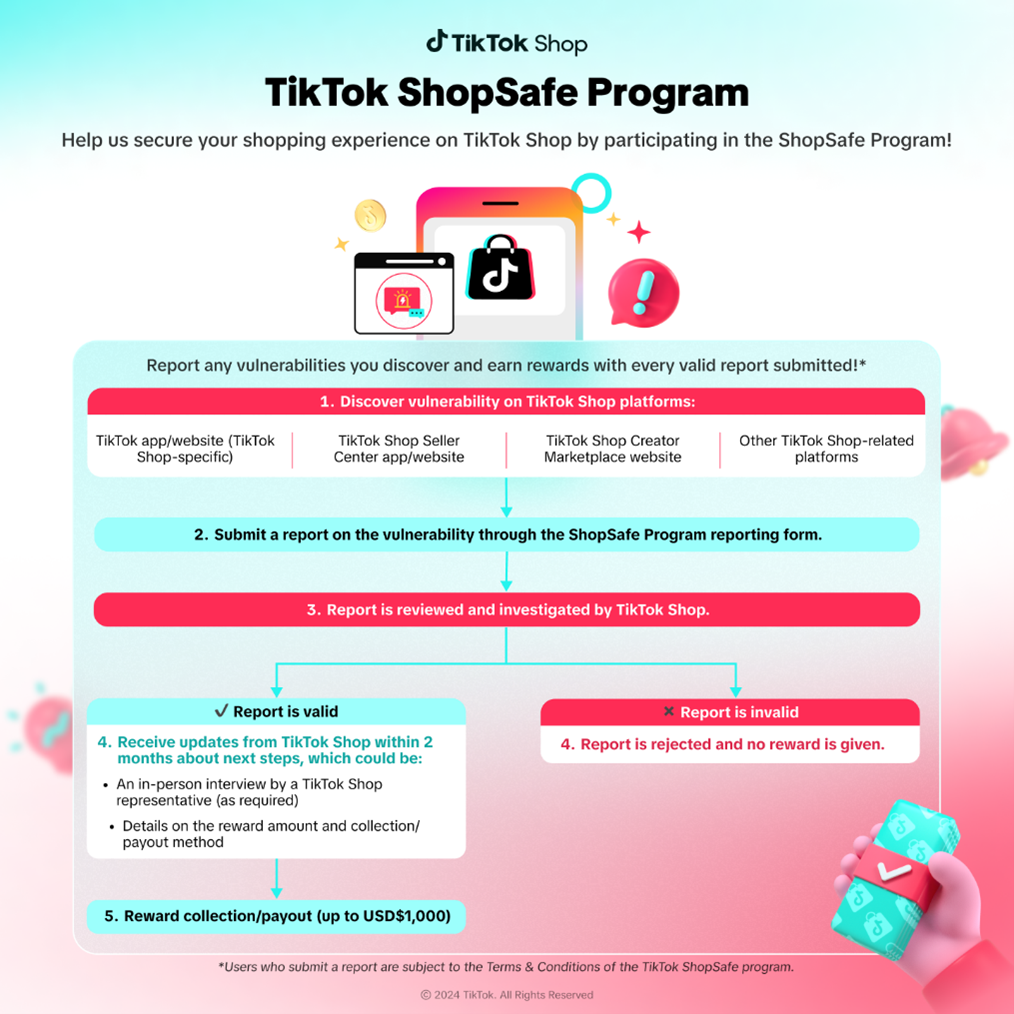
You may also participate in the ShopSafe program to take an active role in enhancing platform safety and security. Under this program, TikTok users can submit reports on any discovered platform vulnerabilities, and receive rewards worth up to USD$1,000 per valid report.
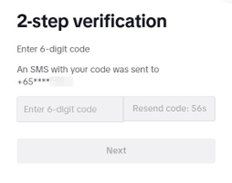
We strongly recommend you set up 2-step verification (2-SV) to further protect your TikTok account via SMS, email, password, or authenticator apps (e.g. Google Authenticator, Microsoft Authenticator). When a log-in attempt is made on an unrecognised device, you will be prompted to enter a verification code sent via the selected 2-SV method to verify your identity. If the verification code is not entered or entered incorrectly, the login will be blocked, providing your account with another layer of protection.